 Talk to us
Golf Sync for Tours
Run your Tour and every chapter in one place.
Registration, payments, flights, live scoring and the season's points race, for every stop in every chapter. Your directors run their chapters; your golfers follow the season on their phones.
What your Tour gets
Chapters that run themselves
Each chapter has its own director, its own console, its own stops and its own page. You set the Tour-wide rules once and every chapter reads them.
Every stop, sign-up to results
Golfers register and pay on each stop's own page. You make the pairings, they score on their phones, and the results go on your Tour's page.
The season race
Flights for the season, a points race in each chapter, a national Player of the Year race, playoffs, a Tour Championship and prize money.
Your Tour's page
Your logo and colors, your chapters with each one's next stop, the schedule, the standings and each flight's winners. Every golfer has a page of their own.
A Tours tab in the app
Each golfer sees their season, what's coming up, the standings, their results and your Tour's chat. At a stop with skins, the skins board is live.
See one running
The Sample Amateur Tour is a Tour we built to show how one runs on Golf Sync: three chapters and their stops, golfers placed in flights, and a national Player of the Year race. The golfers are made up; the page, the standings and the sign-ups are the real software.
Open the Sample Amateur Tour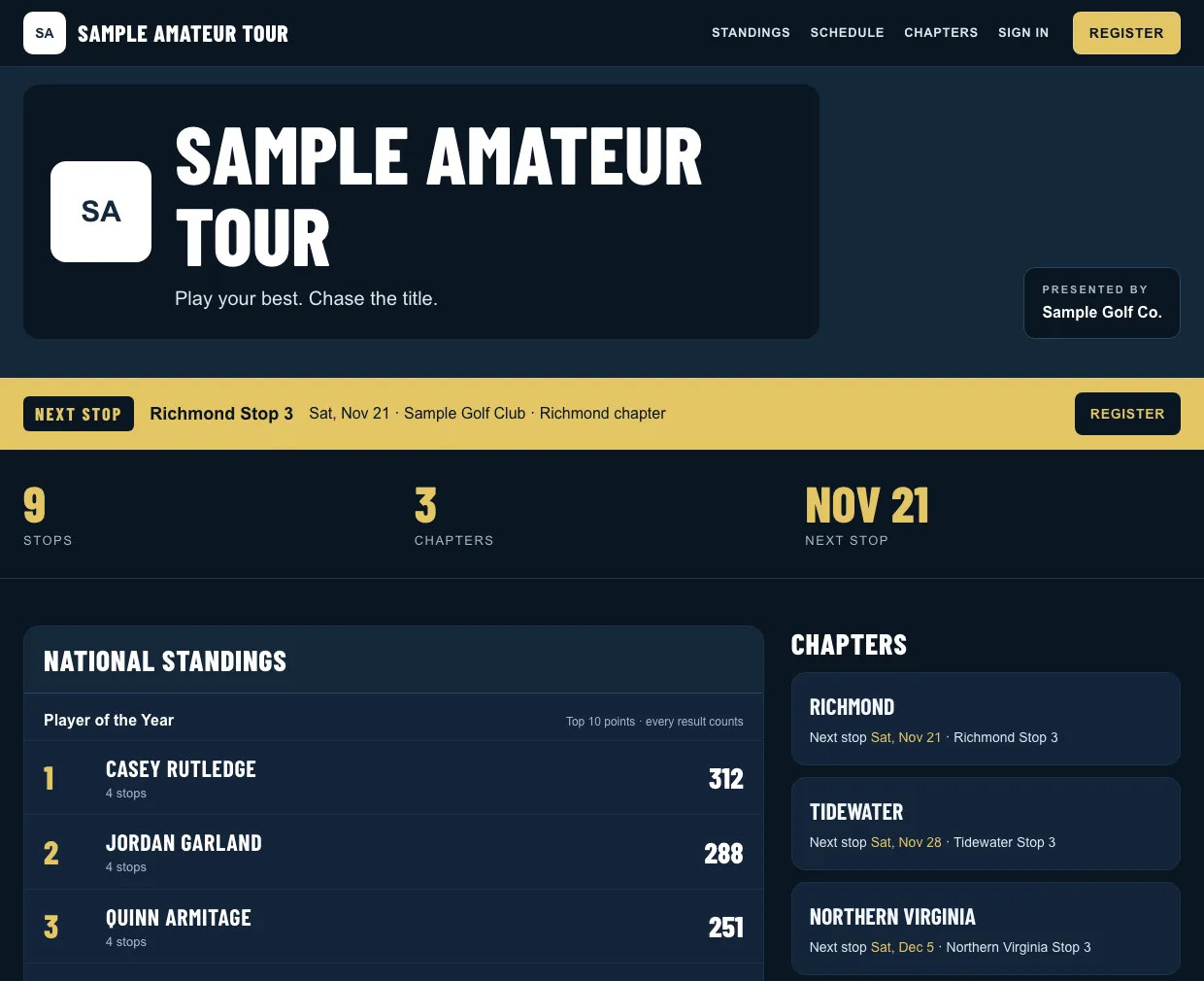
How you start
- 1
Tell us about your Tour
Your chapters, how your season works and when it starts.
- 2
We set it up with you
Golf Sync sets up your Tour and its chapters. You import your golfers, and each one gets an account with their season in it.
- 3
Your chapters schedule their stops
A whole season at once or one stop at a time. Registration opens when you say.
Tell us about your Tour
We usually reply within one business day. Or email support@golfsync.io.
Want the detail first? Read how a Tour runs, step by step.