Player experience
Five taps from parking lot to playing.
Your players didn't sign up through us — they signed up through your foundation, OneCause, a spreadsheet, or paper. On tournament morning, here's the entire experience for getting them scoring on the right card with the right team.
Enter your tournament code
Players don't need a GolfSync account. The tournament code is on the registration card, the printed program, the welcome email — wherever you already communicate with attendees.
Open the app
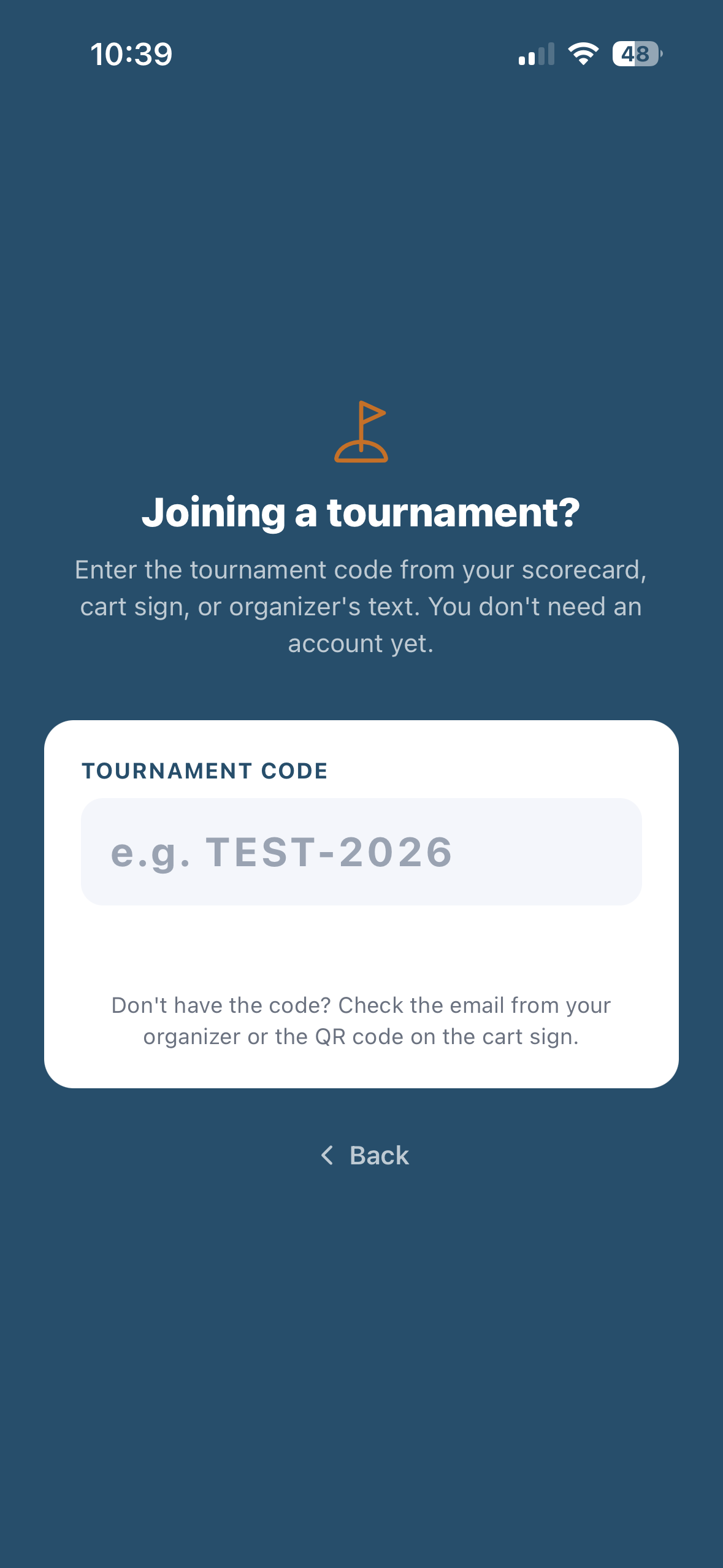
Actual app screen
Memorable codes, not security tokens
C2-ADOPT-2026 reads from the back row at registration. Codes are public on signage and printed materials — they don't gate identity.
No standard onboarding
Bypasses handicap entry, GHIN lookup, course preferences, payment setup. A real but lightweight account is created in the background — upgradable later without losing round history.
Course geofence (optional)
When the event is set up, players who open the app at the course see an 'Active tournament' banner. Tap that, skip the code entry.
Already have GolfSync?
Existing GolfSync players use the same code path — no email mismatch lockouts. The code resolves to the roster, not the account.
Find your team
Roster is grouped by team — solves duplicate-name disambiguation (two real Mike Smiths on the field) and introduces the foursome in the same moment. Tap your team, tap your name, in.
Roster — grouped by team
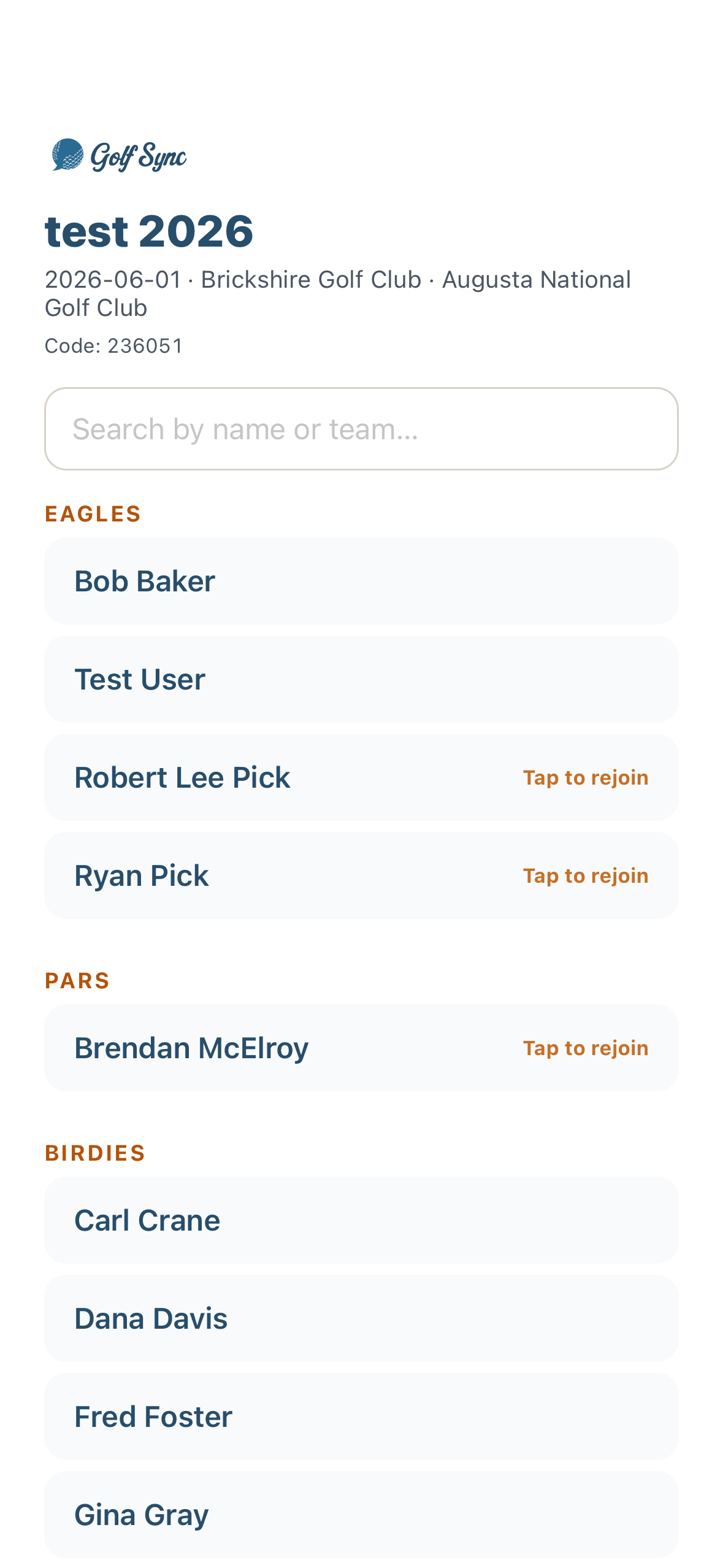
Actual app screen
Team-first, not name-first
A flat searchable name list breaks down with two Mike Smiths. Team grouping disambiguates AND lets the player confirm 'yes, this is my foursome' in one tap.
Starting hole on every card
Players see the shotgun hole next to the team name — no separate paper handout.
Phone-number tiebreak
Two players with the same name on the same team is rare but real. We fall back to a 'phone ending in 0123?' confirmation when the roster CSV has phone numbers.
One score per team, per hole
Scrambles are 80%+ of charity tournaments — team posts one score, no per-player tracking required. Big buttons, sunlight-friendly contrast, one tap saves and advances.
Hole entry · scramble
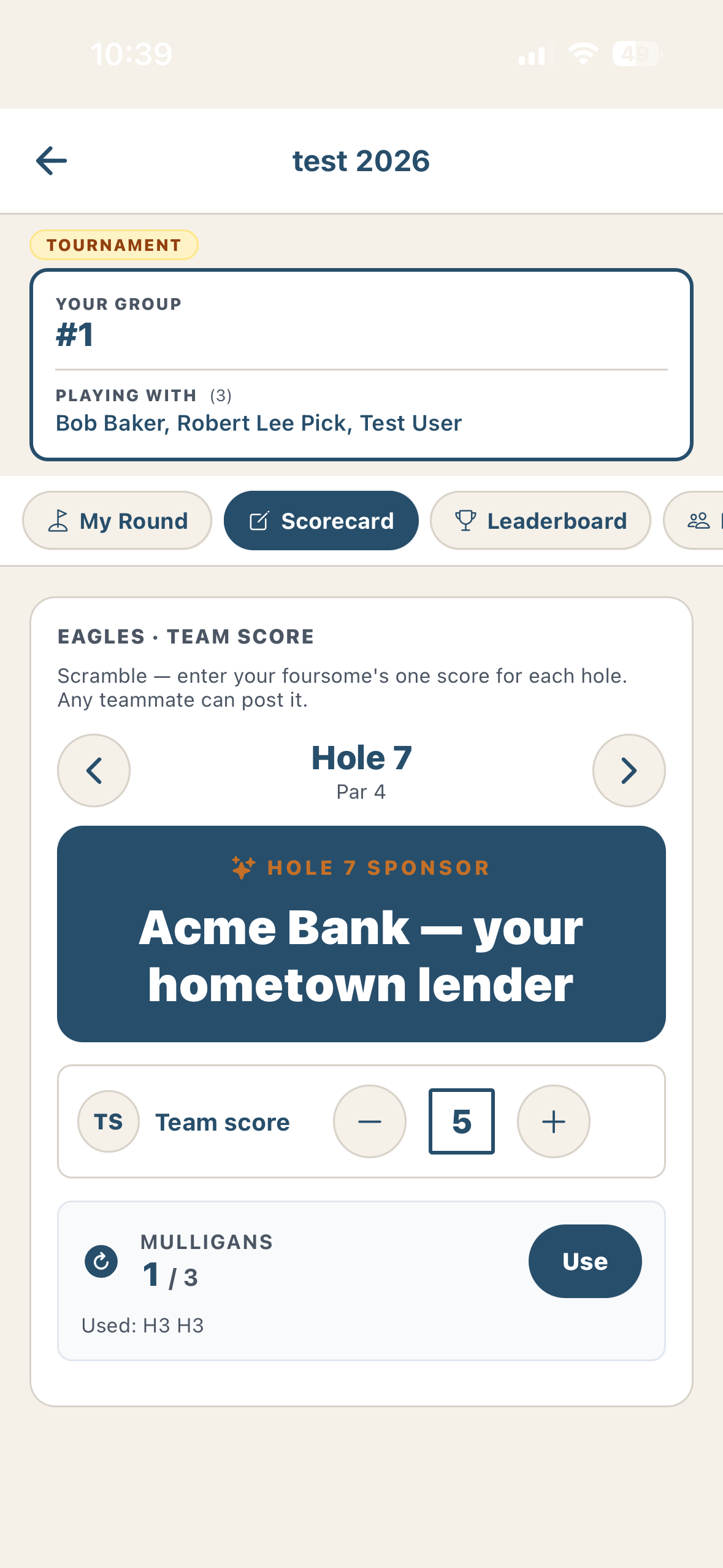
Actual app screen
One number, not four
Scrambles don't need per-player tracking. The team posts one score per hole — that's what feeds the team-vs-team leaderboard. Faster entry, less to argue about at the bar.
Mulligan counter, not mulligan payments
Your players paid for mulligans at the registration table via Venmo, cash, or whatever — we never touch the money. We just remember how many they have and decrement as they use them.
Auto-saved on every change
No network at hole 14? Scores buffer locally and sync the moment the cart hits LTE on the way back to the clubhouse.
Marker handoff
Whoever's keeping the card can hand it off mid-round — any teammate logged into the same code picks up where they left off.
Sponsor recognition, between every hole
Between holes, the scorecard shows a quick sponsor moment — "Hole 8 sponsored by Wells Fargo," rotating through paid sponsors. Drives the recognition that drives next year's sponsor renewal.
Between-hole spotlight
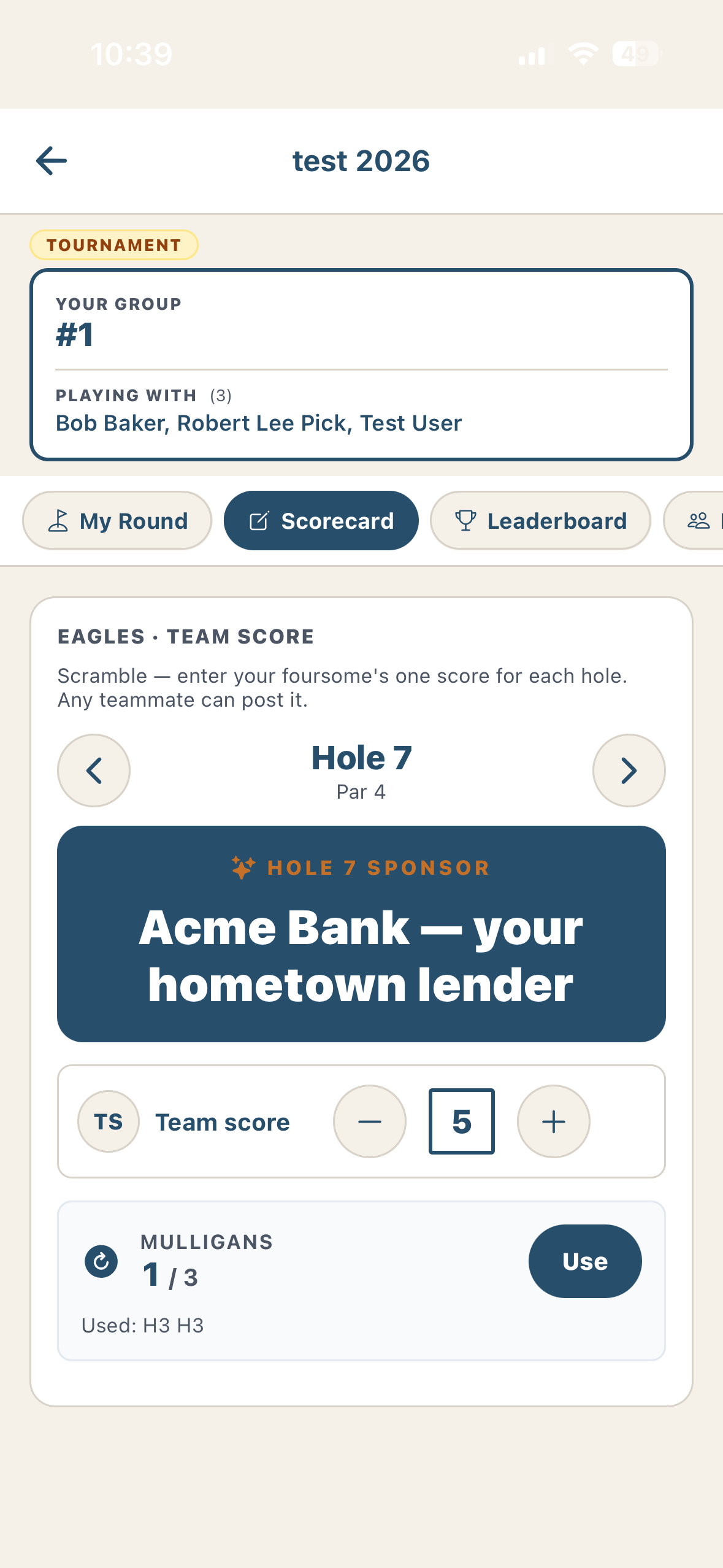
Actual app screen
Rotates through paid sponsors
Every sponsor that paid for any tier gets airtime between holes — not just the top tier. Smart-rotates so each player sees a mix over 18 holes.
Hole-specific when assigned
When you assign a sponsor to a specific hole, that sponsor shows on the transition to their hole — same UX as a physical sign at the tee box.
One-line custom message
Sponsors can include a short message — usually a thank-you to the cause. Optional; defaults to just the logo and name.
Tap to skip
It's a brief moment, not a paywall. Players who tap-through go straight to the next hole.
The clubhouse TV — the moment
Players finish 18, walk into the clubhouse, look up — and see their team at −8 on a 65" screen with the sponsor logo beneath. This is what sells next year's contract. Cast from any laptop, Apple TV, or Chromecast to a public URL.
LIVE LEADERBOARD
C2 Adopt 2026
Federal Club
Updated
8s ago
| # | Team | Thru | vs Par |
|---|---|---|---|
| 1 | Team Riley | 12 | -8 |
| 2 | Team Cooper | 11 | -7 |
| 3 | Team Acme Bank | 12 | -5 |
| 4 | Team Foster Dental | 10 | -3 |
| 5 | Team Henley | 13 | -2 |
| 6 | Team Brightwater | 12 | -1 |
Benefiting Children's Cancer Adoption
Auto-refreshing · 15s
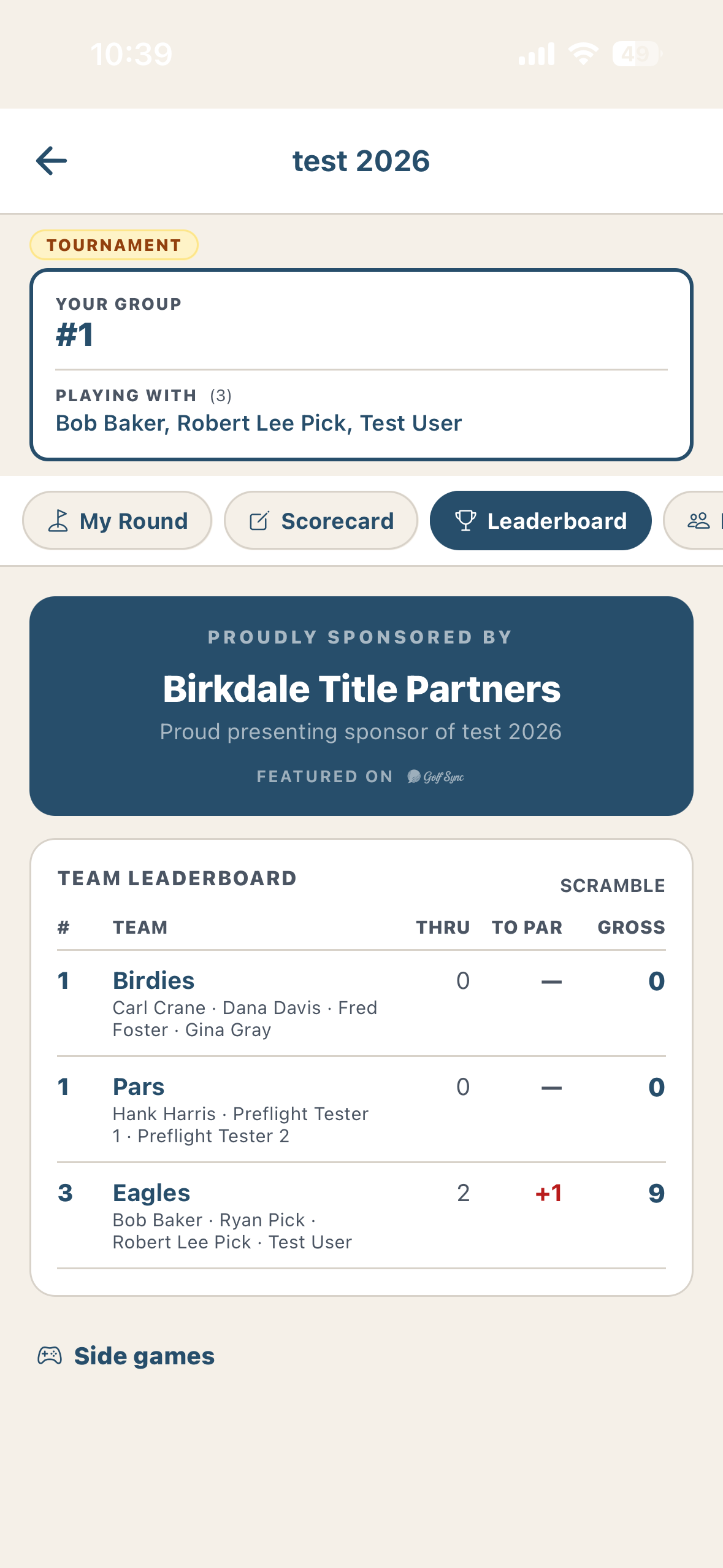
…and on every player's phone
Actual app screen
The clubhouse TV is the moment — but the same live board is in every player's pocket the whole round. Team standings shown relative to par with WHS net handicaps, refreshing as scores post. Family at home follows the public link too.
65-inch read distance
Designed for 10-foot read distance from across the clubhouse. Team names and scores in 24+ pt, contrast tuned for daylight.
Auto-rotates with sponsors
Every 12 seconds, cycles through the full leaderboard, contest winners (CTP, LD), and a sponsor recognition reel.
Just a URL
Cast from any laptop, Apple TV, Chromecast, or Fire TV. No app install on the TV side. Public URL — share with the foundation board.
One-button announcer
When weather rolls in or lunch is ready, the event chair sends one push to every player in the field. Pre-canned messages plus free text — the chair stops yelling across the clubhouse.
Example notifications
C2 Adopt 2026
nowLightning hold — pause play
Move carts back to the clubhouse. We'll send the all-clear within 15 minutes.
C2 Adopt 2026
nowLunch is ready at the patio
Tee off times after 1pm reset by 30 minutes. Eat first.
Pre-canned messages
Lightning hold, lunch ready, awards starting in 10, leaderboard about to lock — the things the event chair always needs to say, one tap each.
Free text when you need it
Anything not on the pre-canned list, type and send. Goes to every player in the field with the app installed.
SMS fallback — on the roadmap
When a player has a phone number in the roster CSV but didn't install the app, we'd love to fall back to SMS. Not in v1 — flagged honestly on the landing page.
Made possible by
Acme Bank
Atlas Insurance
Cooper Construction
Brightwater CPAs
Foster Family Dentistry
Iverson Family Foundation
Sponsor names rotate on the leaderboard TV + scorecard between holes.
That's the player side.
The organizer side is a 60-second CSV upload + one event form, plus a day-of dashboard for check-in, leaderboard cast, and the announcer button. Want to see that in a 15-minute walk-through?